langChain
LangChain产品线以及文档拆分, 向量化技术栈总结~~
Use OpenAI’s Models for this document.
LangChain
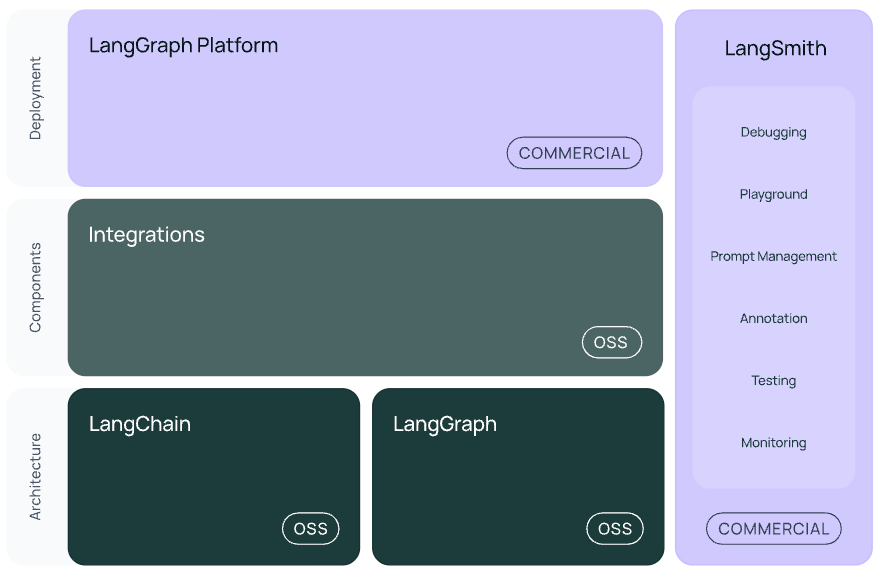
LangChain
1 | pip install -qU "langchain[openai]" |
Initial a chat model
1 | from langchain.chat_models import init_chat_model |
Embedding
Vector Store
LangGraph
Agent ~= control flow defined by an LLM
1 | pip install -U langgraph |
Node, Edge and State
- State: State is the input of the Graph. It can be a
TypedDictdatatype. - Node: Each node modifies and returns a new state. It may contain some actions.
- Edge: Edges link the nodes. Each edge defines which node to visit from the current node based on some logics.
State Schema
TypeDict
Dataclass
Pydantic
State Reducer
Graph Construction
1 | # Define State class |
Graph Invocation
1 | graph.invoke({"graph_state" : "Hello world!"}) |
The output state of the graph will be the ‘answer’ of our LangGraph.
Messages
Define messages for chat models. It’s a list that preserves the conversation between user and llm.
1 | # Define messages list including some messages |

Chain
A Chain can consist of several loops of operations and LLM invocation.
Tools
We can define a function as a tool and bind it to the chat model. To use this tool, the model will add some payload to it.(e.g. Parse it by JSON, load the method name, params and so on.)
1 | llm = ChatOpenAI(model="gpt-4o") |
Routers
The process of letting chat models to select which branch to visit is like a router. (Simple example of an Agent)
We can use build-in methods to implement tool nodes and conditional tool edges.
1 | from langgraph.prebuilt import ToolNode |
1 | START |
Agent
We can build a generic agent architecture based on ReAct, which contains:
- Act: let the model call tool methods
- Observe: pass the tool output back to the model
- Reason: let the model reason about the tool output to decide what to do next (e.g., call another tool or just respond directly)
1 | # Edge Tool Node back to LLM |
Agent with Memory
With memory added to our agents, they will be able to handle multi-turn conversations.
LangGraph can use a checkpointer to automatically save the graph state after each step.
One of the easiest checkpointers to use is the MemorySaver, an in-memory key-value store for Graph state.
By adding memory, LangGraph will use checkpoints to automatically save graph state after each step. All these checkpoints will be saved in a thread.
MemorySaver()—— One of the easiest checkpointers1
2
3
4
5
6# 'MemorySaver' is an in-memory key-value store for Graph state
from langgraph.checkpoint.memory import MemorySaver
memory = MemorySaver()
react_graph_memory = builder.compile(checkpointer=memory)thread1
2
3
4
5# Use 'thread' to store our collection of states
config = {"configurable": {"thread_id": "1"}}
messages = react_graph_memory.invoke({"messages": messages}, config)
LangGraph Studio
1 | langgraph dev |
LangSmith
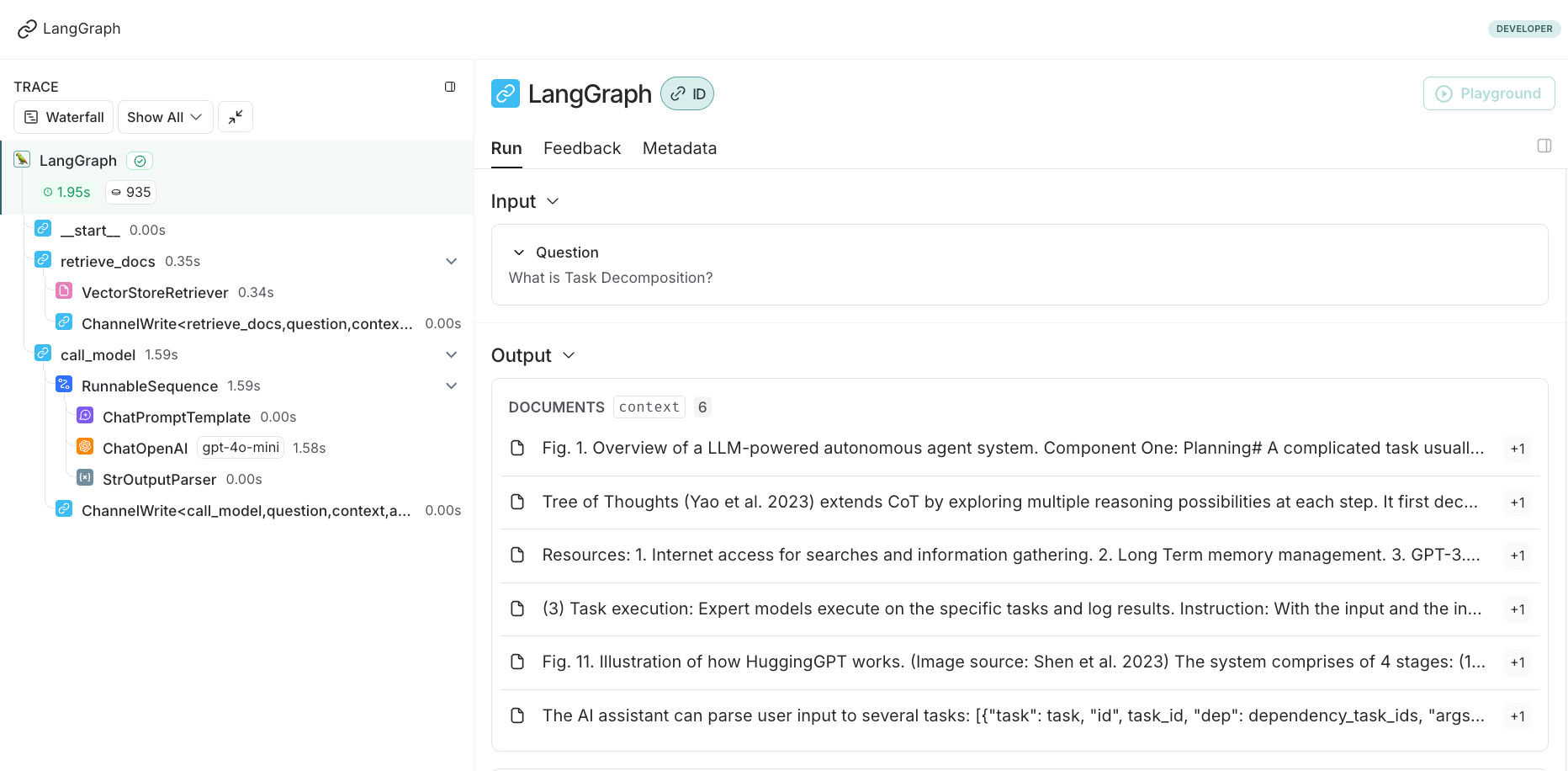
LangSmith is like a monitor platform that could trace the pipeline of your LangChain and LangGraph process.
We can visualize each step of the progress, including the time cost, content and step name.